
The load was tracked to the dock — the money runs on the same rails. Delivery flips the invoice to DUE automatically, the payer sees a PAY-BY deadline and can settle a whole trip with one receipt, the payee confirms it landed, and every dollar keeps its paper trail: who owes it, when it is due, when it moved, and proof it arrived.
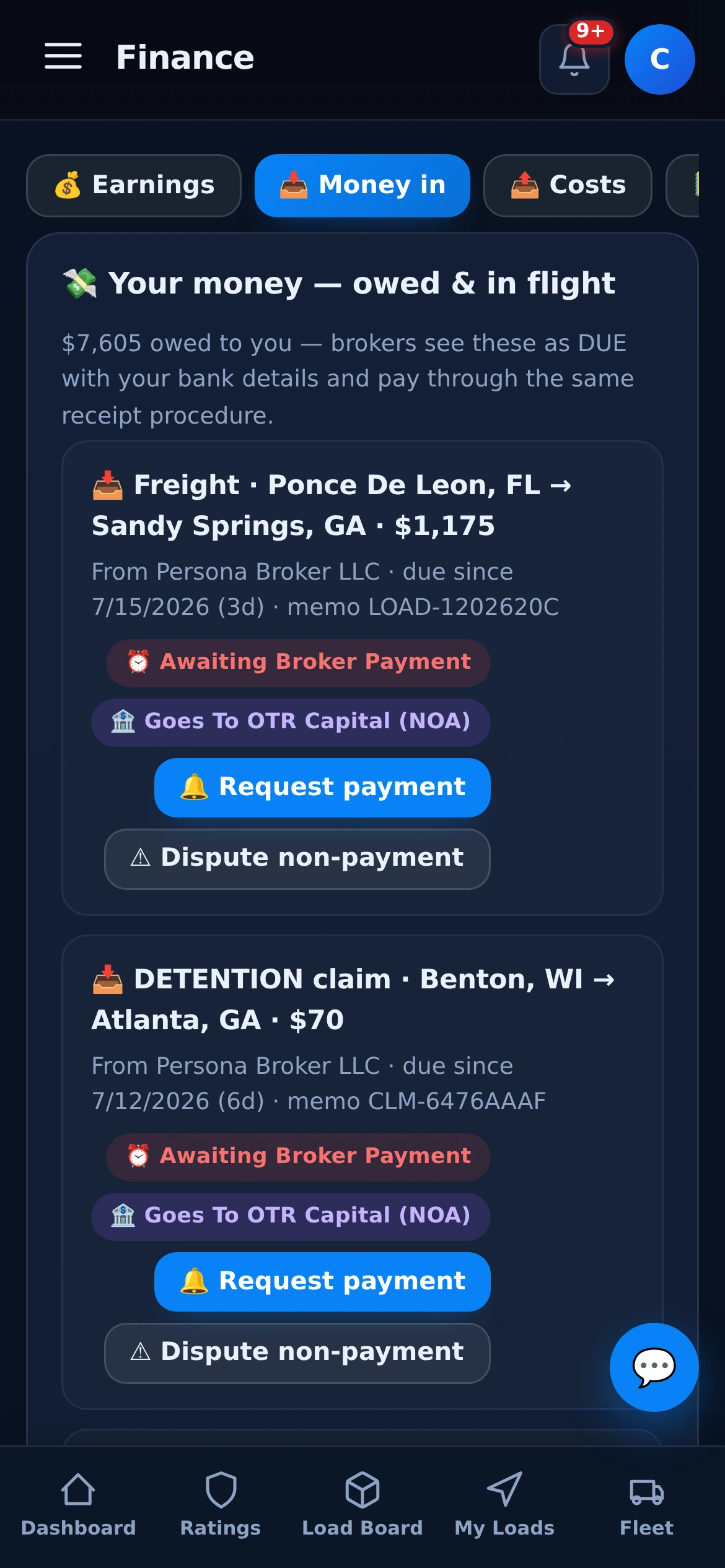
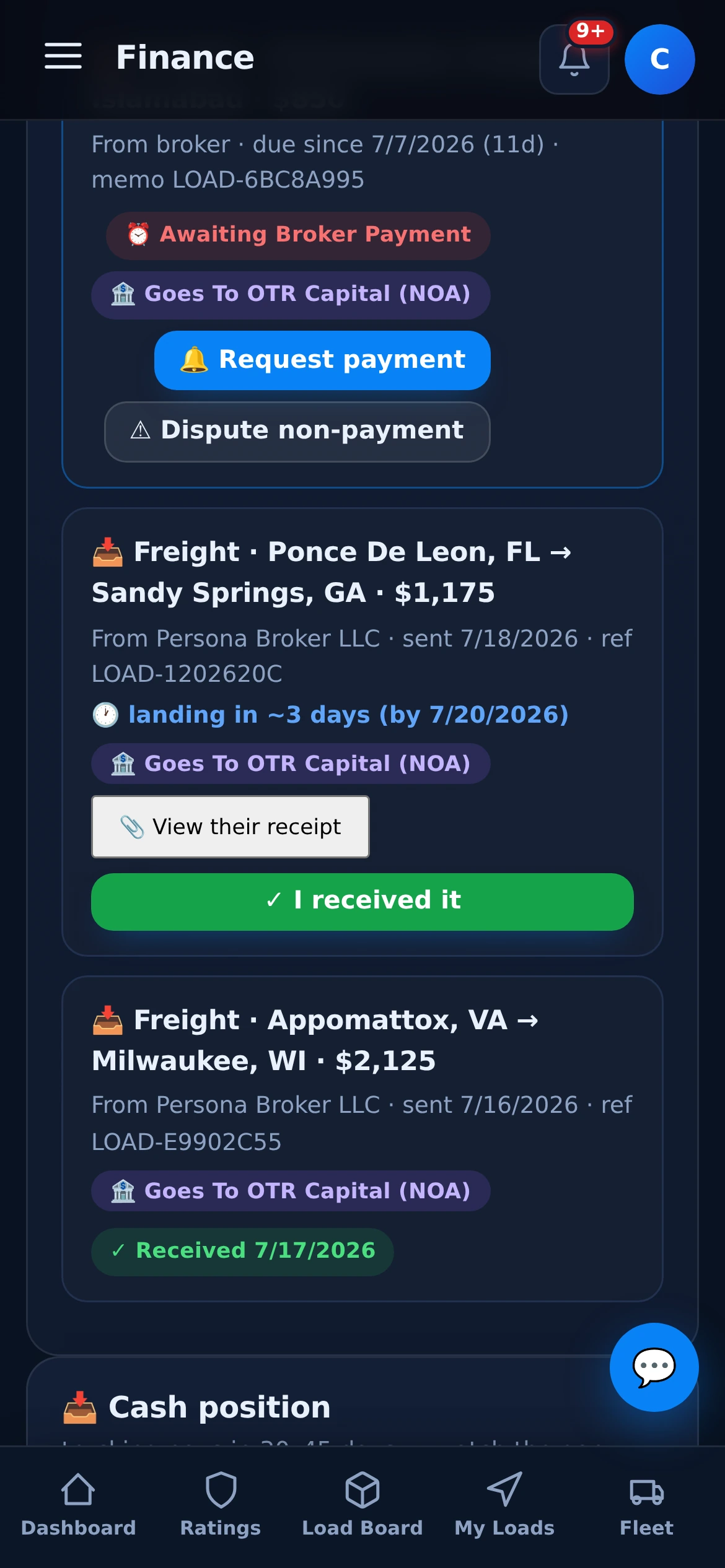
Nothing on this screen was typed in. Delivered freight, approved claims and fees appear as DUE the moment they are earned, each with a deadline, a memo the bank transfer must carry, and the route it pays through. From there the receipt loop takes over.
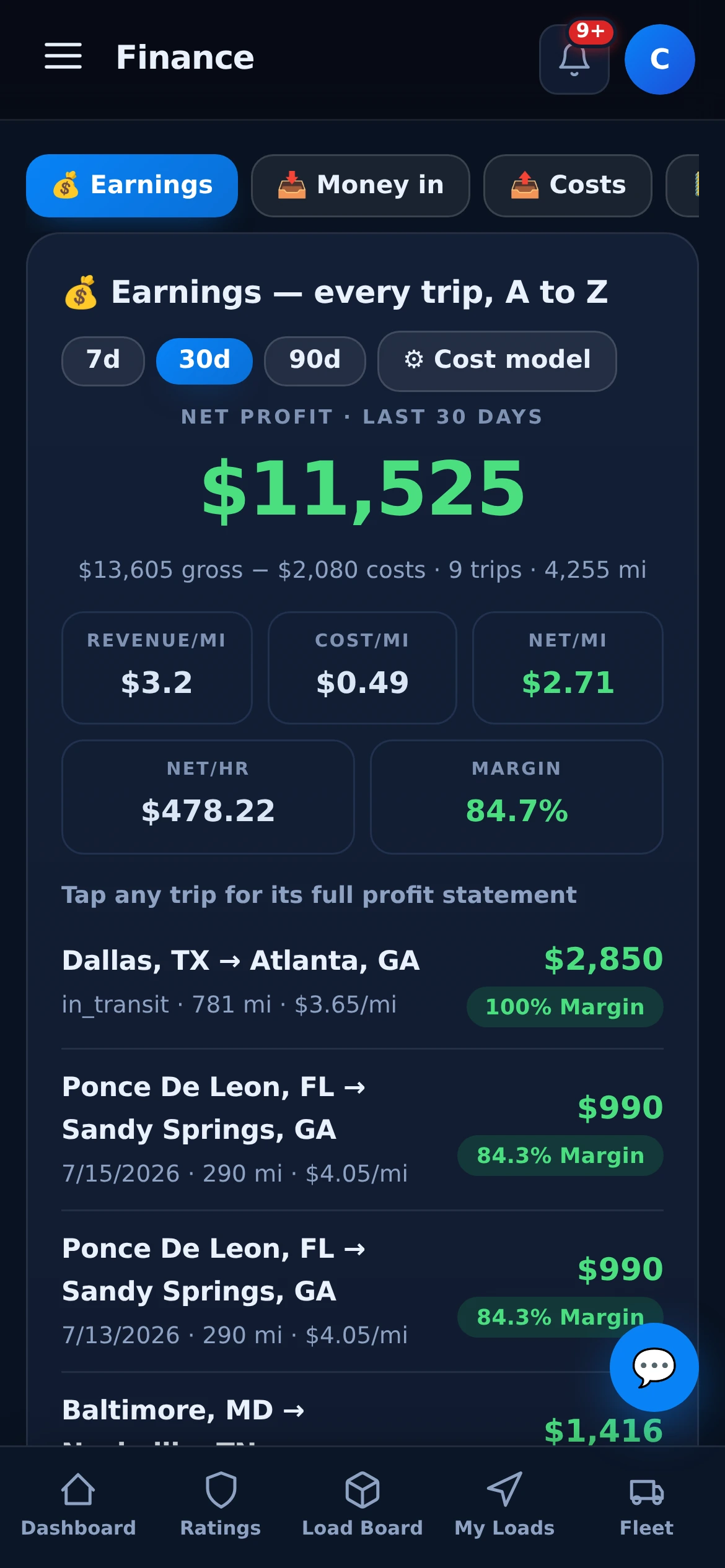
The same ledger that collects your money computes your business: revenue, cost and net per mile, margin per trip, net per hour — over 7, 30 or 90 days. Log fuel, tolls and parking against the trip and the cost model does the rest.
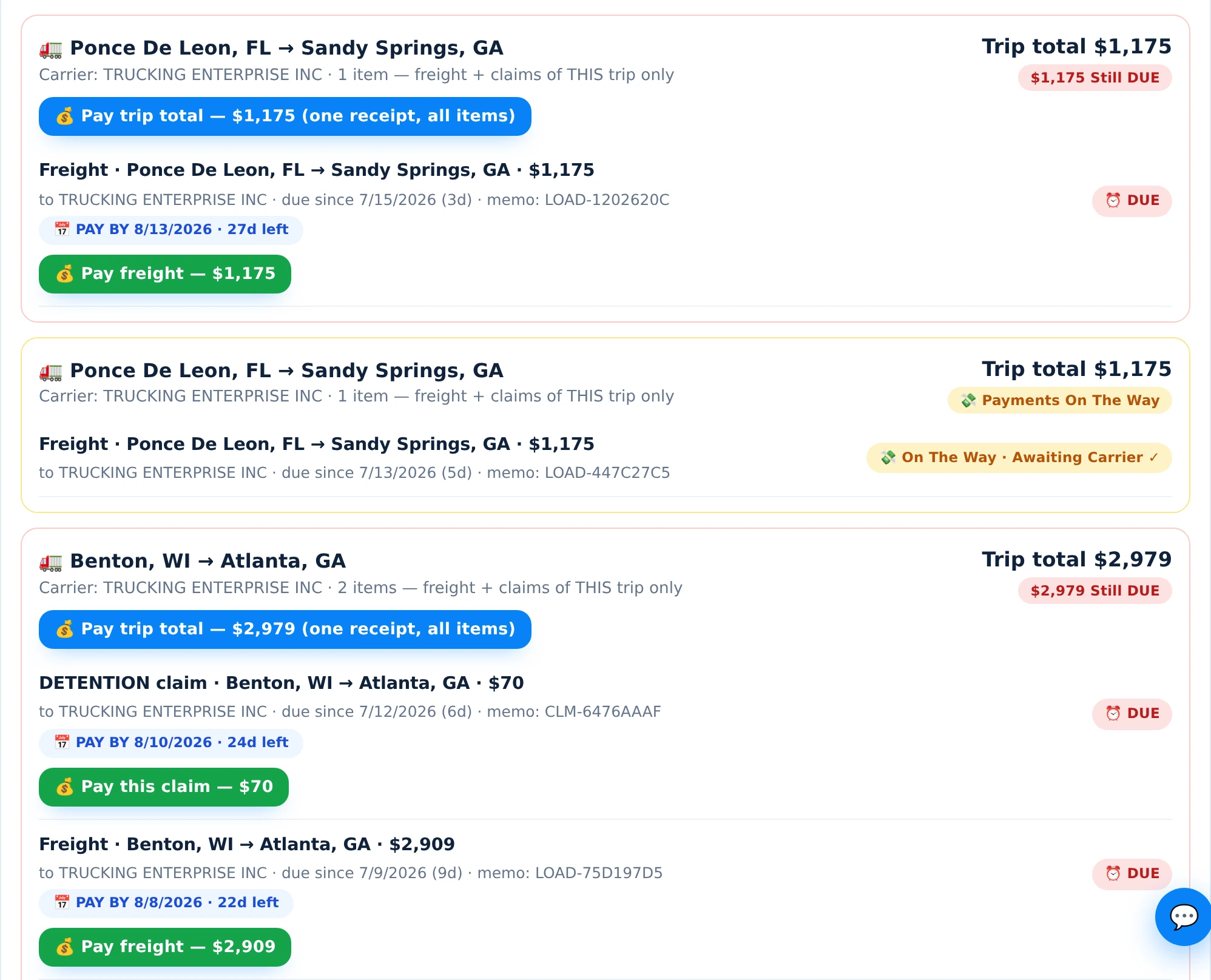
Payables group per trip: one block holds the freight plus every approved claim, with one trip total and a PAY-BY deadline on each item. Transfer once, attach the receipt — the carrier (or their factor) confirms, and the block settles green.

Every delivered load auto-invoices LoadBoot’s flat 5% dispatch fee with a branded PDF — pay it, download it, or dispute it, right from the portal. See pricing.
Notice of Assignment on file means brokers pay your factoring company without you chasing anyone — the remit-to switches by itself on every invoice.
Non-exclusive contract? Keep some brokers paying your factor and take others direct — you choose per broker, and the routing follows.
Upload the signed release letter and the routing flips cleanly — until then, brokers keep paying the factor so nobody breaches an NOA. Factoring & NOA guide.
| LoadBoot | Email invoices & hope | |
|---|---|---|
| When it becomes due | ✓ flips to DUE at delivery, deadline attached | ✗ due when someone sends the invoice |
| What is owed | ✓ per-trip total — freight + proven claims | ✗ invoice ping-pong over every accessorial |
| How it is paid | ✓ memo-matched transfer, receipt attached | ✗ mystery ACH nobody can reconcile |
| Confirmation | ✓ payee taps “received” — silence gets nudged | ✗ “did that ever land?” |
| Claims evidence | ✓ GPS-stamped, riding the same invoice | ✗ screenshots in an email thread |
| Your books | ✓ QuickBooks sync + CSV/PDF statements | a spreadsheet, eventually |
No. Payments move bank-to-bank (ACH or wire) between the payer and the payee — LoadBoot runs the ledger around them: what is owed, the PAY-BY deadline, where it goes (bank or factoring company), the attached receipt, and the payee’s confirmation that it landed.
The moment it is earned. Delivered freight, approved claims and service-fee invoices flip to DUE automatically — grouped per trip with a deadline from your terms (net-30 standard, or the carrier’s factoring terms). Ageing runs from day one, not from when someone remembers to send an invoice.
A trip’s payable block holds the freight plus every approved claim — detention, lumper, TONU — with one trip total. The payer can transfer that total once, attach the receipt, and every item in the block settles together. Item-by-item payment works too.
Yes. With your NOA on file the remit-to routes to your factor automatically, per broker. You keep full control: leave specific brokers on factor, take direct payment where your contract allows, and if you leave your factor, upload the release letter and the routing flips.
The debt ages in the open — due-since counters on both sides. One tap sends a payment request; at three days past due it can become a formal dispute with LoadBoot support in the loop, and the GPS-stamped evidence is already attached.
They ride the same rail. Approved claims join the trip’s payable block with their own memo and deadline — backed by the server-verified GPS log — so the broker can pay each claim or clear the whole trip in one receipt.
Yes — connect QuickBooks from Finance → Accounting in the carrier portal and your invoices and expenses sync to your books automatically.
Carriers: your receivables chase themselves. Brokers & shippers: your payables reconcile themselves.